About Me

My photo
Lithonia, GA, United States
Your Neighborhood PC Guy can solve your home PC, laptop and network problems without the high prices of the retail stores. Because "Your Guy" is your neighbor and works out of a virtual office, the prices are low and the service is friendly. I never charge by the hour, and my flat price is cheaper than one hour with the competition!

Simple Flat Rate Pricing

Home Visit - $50
- I'll come to you and complete the work at your home
Overnight - $40
- You drop it off or I'll pick it up

Your Neighborhood PC Guy is always about respecting customers by charging the guaranteed cheapest flat fee while still providing top notch customer service. All of this with a smile of course. : ) If I accomplish this, I know you will call me again when the time comes.
Showing posts with label Maintain Your PC. Show all posts

Wednesday, June 8, 2011

Create a System Restore Point to Protect You from Unwanted Changes

If you’re making changes to your system and using programs such as CCleaner or Advanced SystemCare, you should always make a restore point before. There is the argument that by creating a restore point you take up almost all the space you are freeing up when using these programs. This is true; however, cleaning your system can improve performance significantly and is good practice when using your PC.

In the next few posts you’ll learn how to:
  1. Create a System Restore Point.
  2. Recover your system by using a System Restore Point.
  3. Change and limit system restore options.

Doing It In 8 Easy Steps

Let’s get right into things; to clean and maintain your PC:

  1. Create a system restore point to protect you from unwanted changes.
  2. Backup your data.
  3. Keep Windows and installed software up to date.
  4. Find and remove malware.
  5. Uninstall unnecessary programs.
  6. Delete junk/temporary files.
  7. Optimize your system.
  8. Defragment your hard drive.

By following these steps, you’ll ensure your computer is performing at its best and is error free.

Because this blog is designed for beginners, instructions on manually tweaking your PC are not included. Such optimization tips require more advanced PC knowledge and, in many cases, are unfounded and can compromise the stability of your system. Instead, I will focus on tried and tested tools, which are easy to use and make maintenance an easy task.
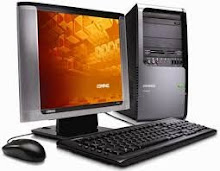
Maintain Your PC

The internet is flooded with tips and advice on PC cleaning. Much of this advice urges you to buy useless programs that cost hundreds of your hard earned dollars! Look no further: you can follow this guide and get your PC clean without spending any money whatsoever. I do recommend programs, which have paid upgrades; however, I am confident these programs, when upgraded, are worth every penny.